Why Your Local LLM Is Returning Empty Responses (And How to Fix It)
Your Ollama API call returns 200 OK with done: true — but the response field is empty. The model isn't broken. It's writing everything into a thinking field you're not reading. One parameter fixes it.

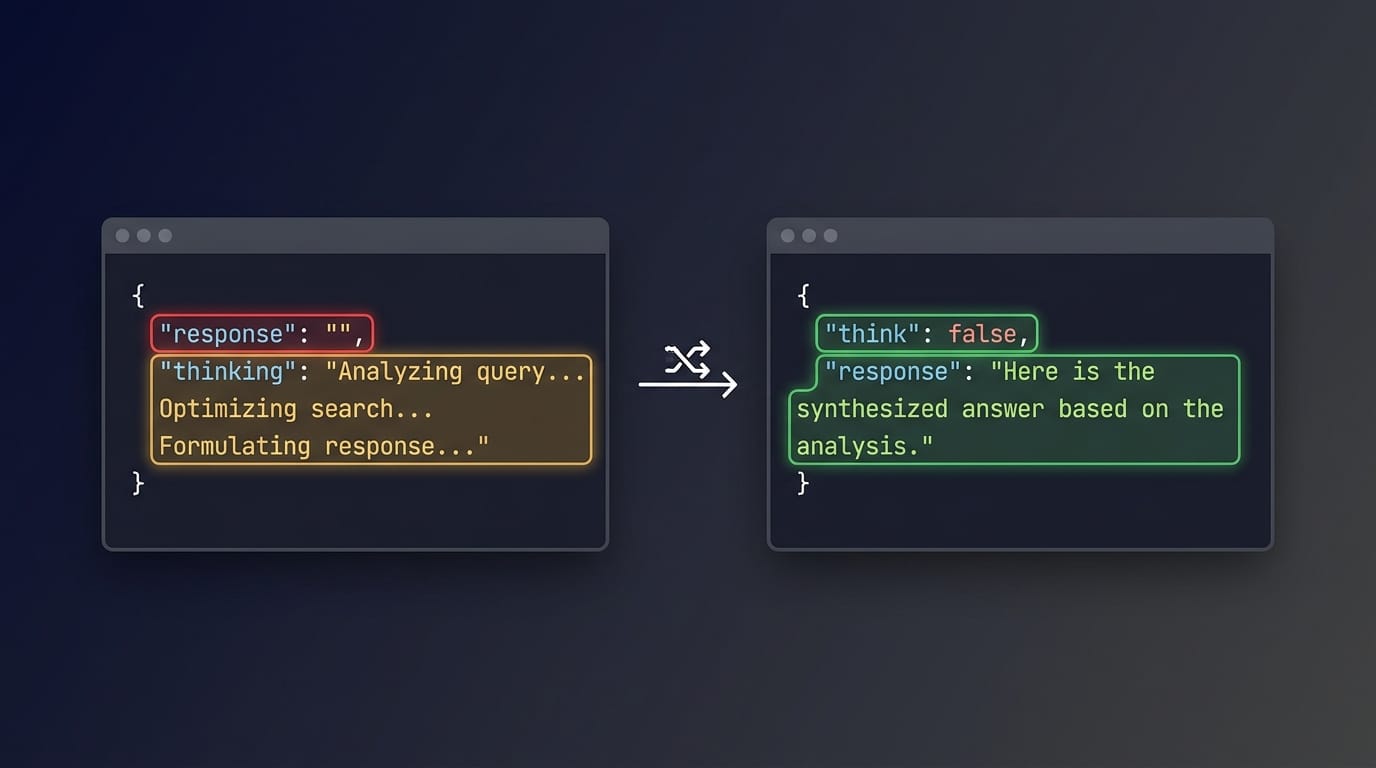
Your Ollama API call returns 200 OK. The JSON body has "done": true. Everything looks fine — except the response field is an empty string.
You didn't break anything. Your model is generating output, just not where your code is looking for it.
The Symptom
You send a prompt to a local model through Ollama's /api/generate endpoint. The response comes back with:
{
  "response": "",
  "done": true,
  "done_reason": "length",
  "eval_count": 64
}
Your script reads response, gets an empty string, and either throws an error or silently produces nothing. The model ran for several seconds and consumed 64 tokens, but your automation sees zero usable output.
The Setup
This happened while running qwen3.6:latest through Ollama's /api/generate endpoint. The request was a simple summarization task — nothing exotic:
curl -s http://your-ollama-host:11434/api/generate \
  -d '{
    "model": "qwen3.6:latest",
    "prompt": "Summarize the following in one paragraph: ...",
    "stream": false,
    "options": { "num_predict": 256 }
  }'
The model loaded, processed the prompt, and returned a complete JSON response. No errors. No timeouts. Just an empty response field.
What Actually Happened
The raw API response contained a field that the automation wasn't checking:
{
  "response": "",
  "thinking": "Here's a thinking process:\n\n1. **Analyze User Input:**\n   - Command: ...",
  "done": true,
  "done_reason": "length",
  "eval_count": 64
}
The model emitted all 64 tokens into the thinking field — a reasoning trace — before it could produce any tokens in the response field. The generation hit the token limit (done_reason: "length") during the thinking phase, so response stayed empty.
The model wasn't failing. It was thinking out loud, running out of budget, and never getting to the answer.
The Fix
Add "think": false to the request payload:
curl -s http://your-ollama-host:11434/api/generate \
  -d '{
    "model": "qwen3.6:latest",
    "prompt": "Summarize the following in one paragraph: ...",
    "stream": false,
    "think": false,
    "options": { "num_predict": 1024 }
  }'
After this change:
{
  "response": "The dispatch smoke test verified that a bounded local job...",
  "done": true,
  "done_reason": "stop",
  "eval_count": 107
}
responseis now populated (448 bytes)thinkingis empty (length 0)done_reasonchanged from"length"to"stop"— the model finished naturally instead of hitting the ceilingeval_countwent from 64 to 107 — more tokens went to actual output
Minimal Payload Example
Before (thinking enabled, response empty):
import requests

resp = requests.post("http://your-ollama-host:11434/api/generate", json={
    "model": "qwen3.6:latest",
    "prompt": "Reply with one sentence: hello world.",
    "stream": False,
    "options": {"num_predict": 256}
})
data = resp.json()
print(data["response"])  # → "" (empty string)
print(len(data.get("thinking", "")))  # → 247 (all tokens went here)
print(data["done_reason"])  # → "length"
After (thinking disabled, response populated):
import requests

resp = requests.post("http://your-ollama-host:11434/api/generate", json={
    "model": "qwen3.6:latest",
    "prompt": "Reply with one sentence: hello world.",
    "stream": False,
    "think": False,
    "options": {"num_predict": 256}
})
data = resp.json()
print(data["response"])  # → "Hello world." (actual output)
print(len(data.get("thinking", "")))  # → 0
print(data["done_reason"])  # → "stop"
Why This Matters For Automation
If you're wiring a local LLM into a script, pipeline, or batch job, you're probably reading response and treating it as the model's answer. That assumption works for most models — until you hit a "thinking" model that defaults to reasoning mode.
The failure is silent: no HTTP error, no exception, no timeout. Just an empty string where you expected content. If your code doesn't check for this, it will either crash downstream or — worse — silently produce empty output files and move on.
Signs you might be hitting this:
responseis empty buteval_countis nonzerodone_reasonis"length"even though your prompt is short- The API call takes several seconds (the model is actually generating tokens, just not into
response)
What If You Need the Reasoning?
Disabling thinking with "think": false is the right fix for simple tasks — summarization, extraction, formatting — where you just want the final answer.
But if your use case benefits from chain-of-thought reasoning (complex logic, multi-step math, code generation with explanations), disabling thinking may degrade output quality. In that case:
- Parse the
thinkingfield directly. Read boththinkingandresponsefrom the API response. Usethinkingfor debugging or logging, andresponsefor the final answer. - Increase
num_predict. If the model runs out of budget during thinking, give it more tokens. Try"num_predict": 4096or higher so the model has room to think and respond. - Use
/api/chatinstead. The chat endpoint may handle thinking models differently. Test with your specific model and version.
The key insight: "think": false is a request-time parameter, not a permanent model configuration change. You can toggle it per request depending on the task.
Caveats
- Tested environment: This was observed with
qwen3.6:lateston Ollama's/api/generateendpoint. The exact Ollama server version was not recorded — behavior may differ across versions. - Not universal: Not every model on Ollama has a thinking mode. If your model doesn't populate a
thinkingfield, this fix is irrelevant. - Don't overclaim: This article describes observed behavior in one specific setup. Test with your own model and version before assuming the same fix applies.
/api/chatnot tested: The diagnostic only covered/api/generate. The chat endpoint may behave differently.- Prompt-level workarounds don't work: Adding
/no_thinkto the prompt text was tested and did not suppress thinking mode. Only the API-level"think": falseparameter worked. - Security note: Ollama listens on port 11434 with no built-in authentication. If you're exposing Ollama to a network (even a home network), use a reverse proxy with authentication. Never expose port 11434 directly to the internet.
Checklist For Debugging
If your Ollama automation is producing empty output, check these in order:
- Is
responseactually empty, or is your parsing wrong? - Does the JSON response contain a
thinkingfield with content? - Is
done_reasonset to"length"? (Model ran out of generation budget) - Is
eval_countnonzero? (Model did generate tokens, just not where you expected) - Try adding
"think": falseto your request payload. - Try increasing
"num_predict"in youroptionsif you need thinking enabled. - Check your Ollama version — parameter support may vary.
- Check whether your model is a "thinking" or "reasoning" variant.
Closing Note
This is a one-parameter fix for a surprisingly frustrating problem. The model isn't broken — the API contract just has more fields than you expected, and your code assumed response is the only place output goes.
The broader takeaway: when integrating local LLMs into automation, don't just check for HTTP errors and timeouts. Check the shape of what comes back. A 200 OK with an empty response might be the most productive failure your model ever had — it just wrote everything in the wrong field.
This article is based on observed behavior during a local automation project in July 2026. It has not been verified against current Ollama official documentation. Test with your own setup before applying these findings.
I'm Chung-Chiao Chiang (Maki), focused on AI Agent Architecture, Memory Governance, and Cognitive Diversity — exploring how to build AI systems that can collaborate long-term, earn trust, and remain governable.