API Workbench:一個 Postman 替代品
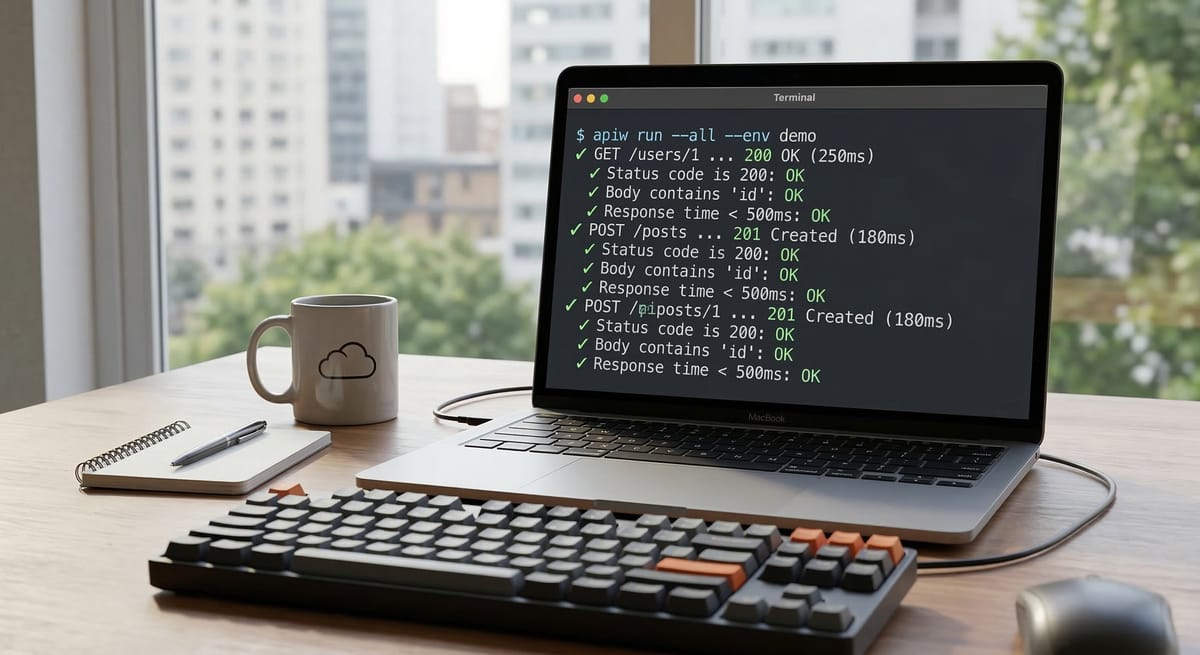
Postman 漲價了。Collection、環境變數、request chaining ⋯⋯ 這些本來就該免費的功能,現在要月付 $15 美金。
我決定自己做一個。
為什麼不用 Postman?
用了好幾年 Postman,最讓我困擾的不是功能不夠,而是資料被綁架:
- Request collection 存在 Postman 的雲端,不在我的 Git repo 裡
- 換台電腦、換個帳號,collection 就要重新同步
- 團隊協作要付費,個人使用也開始限制功能
- 最離譜的是:API 測試這件事,跟 code review、CI/CD 完全脫節
我理想中的 API 測試工具應該是這樣的:
Request 跟程式碼放在一起,commit、review、CI 一起跑
終端機是第一公民,不是附贈品
但也有 GUI,不想打指令的時候能用滑鼠
輕量、快速、不要動不動就要登入
所以我做了 API Workbench。
它長什麼樣子?
CLI 模式
# 建立專案,附帶 8 個可直接跑的範例
apiw init --demo

# 跑全部 request
apiw run --all --env demo

# 跑單一 request
apiw run requests/02-post-json.json --env demo

# 互動式 TUI
apiw tui
輸出長這樣:
file           requests/01-get-ip.json
request        GET https://httpbin.org/ip
status         200
duration       386ms

file           requests/06-create-post.json
request        POST https://jsonplaceholder.typicode.com/posts
status         201
duration       352ms

file           requests/07-verify-chaining.json
request        GET https://httpbin.org/anything/101
status         200
duration       240ms

summary        total=9 passed=9 failed=0 transport=0 invalid=0
GUI 模式
桌面 GUI 用 Tauri 2 打造,支援 macOS / Windows / Linux 三平台。
功能包含:
- 視覺化 request 編輯器與 response 檢視器
- 一鍵執行單一 request 或整個 collection
- 環境切換下拉選單
- 四語介面:繁體中文 / 簡體中文 / English / 日本語
- 三種佈景主題:Light / Dark / The Matrix(會下綠色雨)
不想開終端機的時候,GUI 一樣好用。想自動化的時候,CLI 無縫銜接。
核心功能一覽
Request 就是 JSON 檔案
{
  "name": "建立使用者",
  "method": "POST",
  "url": "$BASE_URL/users",
  "headers": {
    "Authorization": "Bearer $TOKEN"
  },
  "body": {
    "type": "json",
    "content": { "name": "Maki", "role": "developer" }
  },
  "assertions": [
    { "type": "status", "equals": 201 },
    { "type": "json_path", "path": "/name", "expected": "Maki" },
    { "type": "duration_under", "under": 2000 }
  ]
}
存在 requests/ 資料夾,跟你的程式碼一起 commit。Code review 的時候,reviewer 可以直接看到 API 測試的變更。
7 種 Assertion
| 類型 | 用途 |
|---|---|
| `status` | HTTP 狀態碼 |
| `body_contains` | body 包含特定字串 |
| `body_regex` | body 符合正規表達式 |
| `header_equals` | response header 值比對 |
| `json_path` | JSON Pointer(RFC 6901)取值比對 |
| `json_path_count` | JSON 陣列長度比對 |
| `duration_under` | 回應時間不超過 N 毫秒 |
不是玩具等級的「只能看 status code」,是可以拿來做 CI smoke test 的完整斷言。
Request Chaining
這是 Postman 付費版才有的功能。在 API Workbench 裡免費。
第一個 request — 登入,取出 token:
{
  "name": "登入",
  "method": "POST",
  "url": "$BASE_URL/auth/login",
  "body": {
    "type": "json",
    "content": { "user": "admin", "pass": "secret" }
  },
  "extract": {
    "TOKEN": "/accessToken"
  }
}
第二個 request — 自動帶入 $TOKEN:
{
  "name": "取得個人資料",
  "method": "GET",
  "url": "$BASE_URL/me",
  "headers": {
    "Authorization": "Bearer $TOKEN"
  }
}
extract 用 JSON Pointer 從 response 抓值,存成變數。Collection 跑下去的時候,後面的 request 自動拿到前面抽出來的值。Cookie 也自動跨 request 共用,不用額外設定。
環境變數
# .apiw/env/local.env
BASE_URL=https://localhost:3000
TOKEN=dev-token

# .apiw/env/staging.env
BASE_URL=https://staging.example.com
TOKEN=staging-token
同一份 request,--env local 打本機,--env staging 打測試環境。簡單直覺。
有多輕量?
| 指標 | 數字 |
|---|---|
| 外部依賴 | **0 個**(純 Go 標準庫) |
| Binary 大小 | **8.8 MB** |
| 程式碼行數 | **~2,600 行** |
| 桌面 App 大小 | **~9 MB**(DMG) |
作為對比,Postman 桌面版大約 500MB。
怎麼安裝?
方法一:下載桌面 App
到 GitHub Releases 下載:
- macOS:
API.Workbench_x.x.x_aarch64.dmg(Apple Silicon) - Windows:
API.Workbench_x.x.x_x64-setup.exe - Linux:
API.Workbench_x.x.x_amd64.deb
方法二:下載 CLI Binary
同樣在 Releases 頁面,選你的平台:
apiw-darwin-arm64(macOS Apple Silicon)apiw-darwin-amd64(macOS Intel)apiw-windows-amd64.exeapiw-linux-amd64
方法三:Go install
go install github.com/MakiDevelop/api-workbench/cmd/apiw@latest方法四:從原始碼建置
git clone https://github.com/MakiDevelop/api-workbench.git
cd api-workbench
go build -o bin/apiw ./cmd/apiw
30 秒體驗
apiw init --demo
apiw run --all --env demo
兩行指令,8 個範例 request 會依序打 httpbin.org、dog.ceo、JSONPlaceholder 等公開 API。
你會看到 GET、POST JSON、POST Form、request chaining、regex assertion、JSON path 驗證、甚至 418 Teapot 的 ASCII art 茶壺。全部跑完大概 5 秒。
跟 Postman 的比較
| Postman(免費版) | API Workbench | |
|---|---|---|
| 價格 | 免費(有限制) → $15/月 | 免費,開源 |
| Request 儲存 | 雲端(要登入) | Git repo(JSON 檔) |
| CLI 支援 | Newman(另外裝) | 內建,第一公民 |
| GUI | 有(500MB) | 有(9MB,Tauri) |
| CI 整合 | 要匯出 + Newman | 直接跑,同一份檔案 |
| Request chaining | 付費版 | 免費 |
| 環境變數 | 有 | 有(.env 檔) |
| 離線使用 | 受限 | 完全離線 |
| 多語介面 | 英文 | 繁中/簡中/英/日 |
| 外部依賴 | Electron + 一堆 | 0 個 |
接下來要做的
- OpenAPI / curl 匯入(讓你把現有的 collection 搬過來)
- Snapshot diff(比較兩次 API 回應的差異)
- CI output format(JSON/JUnit,方便接 GitHub Actions)
- 更多 body type(multipart form、GraphQL)
原始碼
GitHub: github.com/MakiDevelop/api-workbench
MIT License。歡迎 star、fork、提 issue。
如果你也受夠了 Postman 的付費牆,或是單純想讓 API 測試回歸 Git — 試試看。